How to claim payments on Talentir
Talentir makes receiving payments extremely quick and easy, with multiple payment methods and multiple currencies available.
Let's see how you can claim your YouTube earnings on Talentir.
The Step-by-Step Process
Click on https://www.talentir.com/dashboard/overview to start the claiming process.
You will see all of your connected channels and you can either:
- Claim revenues on one channel by clicking on it
- Collect revenues of all channels together by clicking on "Claim All"
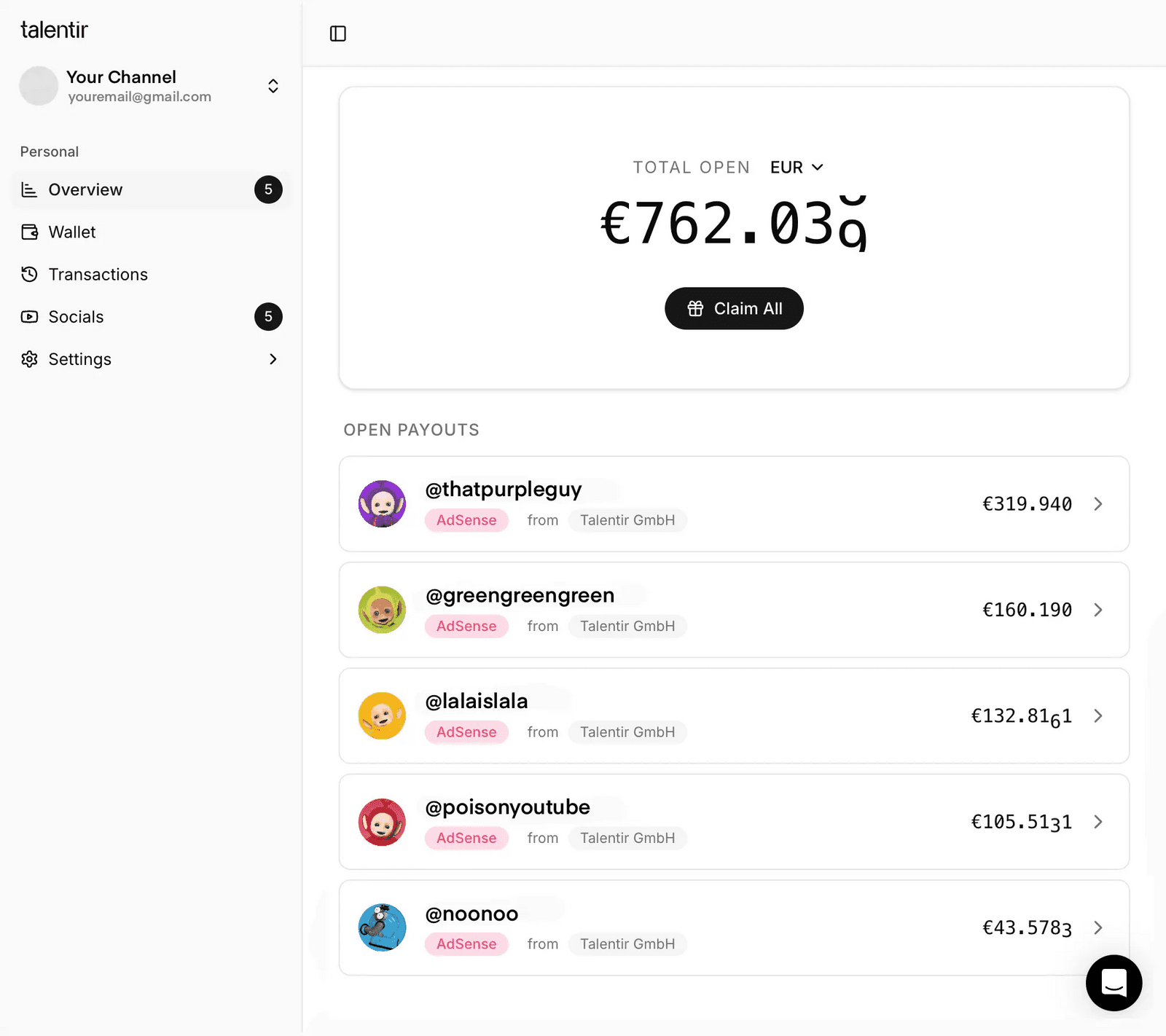
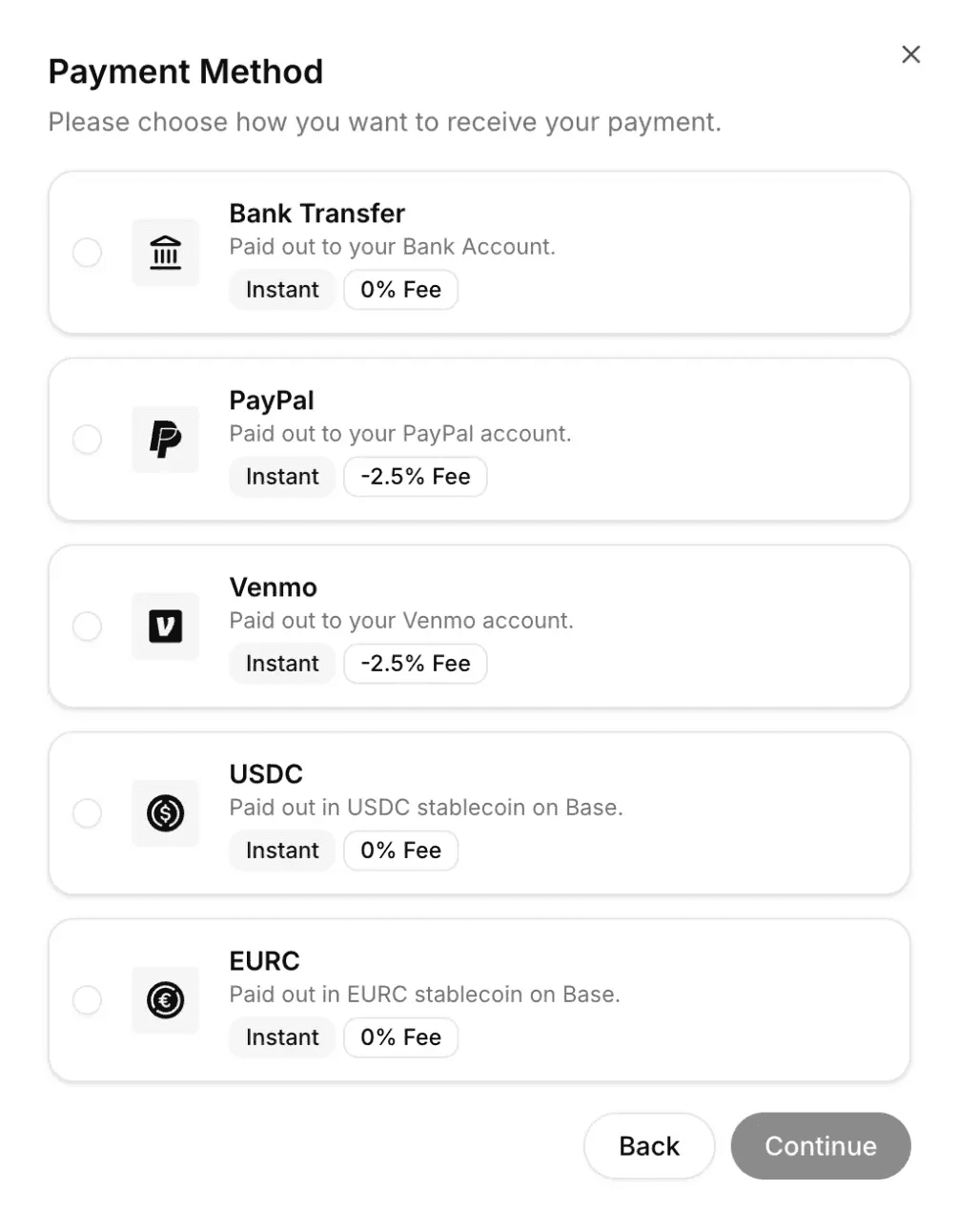
After clicking on claim, you will be able to choose the payment method you prefer.
Fee information:
- Crypto: no fee
- Bank transfer by IBAN in EUR, CHF or GBP, US bank transfer (ACH) and UK bank transfer: no fee
- Bank transfer by IBAN in USD, CAD, CZK or AUD, international bank transfer (SWIFT) and US wire transfer: EUR 5 per payout, converted to your payout currency
- PayPal: 2.5% of the amount
- Venmo: 3.5% of the amount
Before you confirm, the claim screen shows the amount that you will receive.
For bank transfers and crypto, you can choose the currency that you receive. PayPal pays in EUR, and Venmo pays in USD.
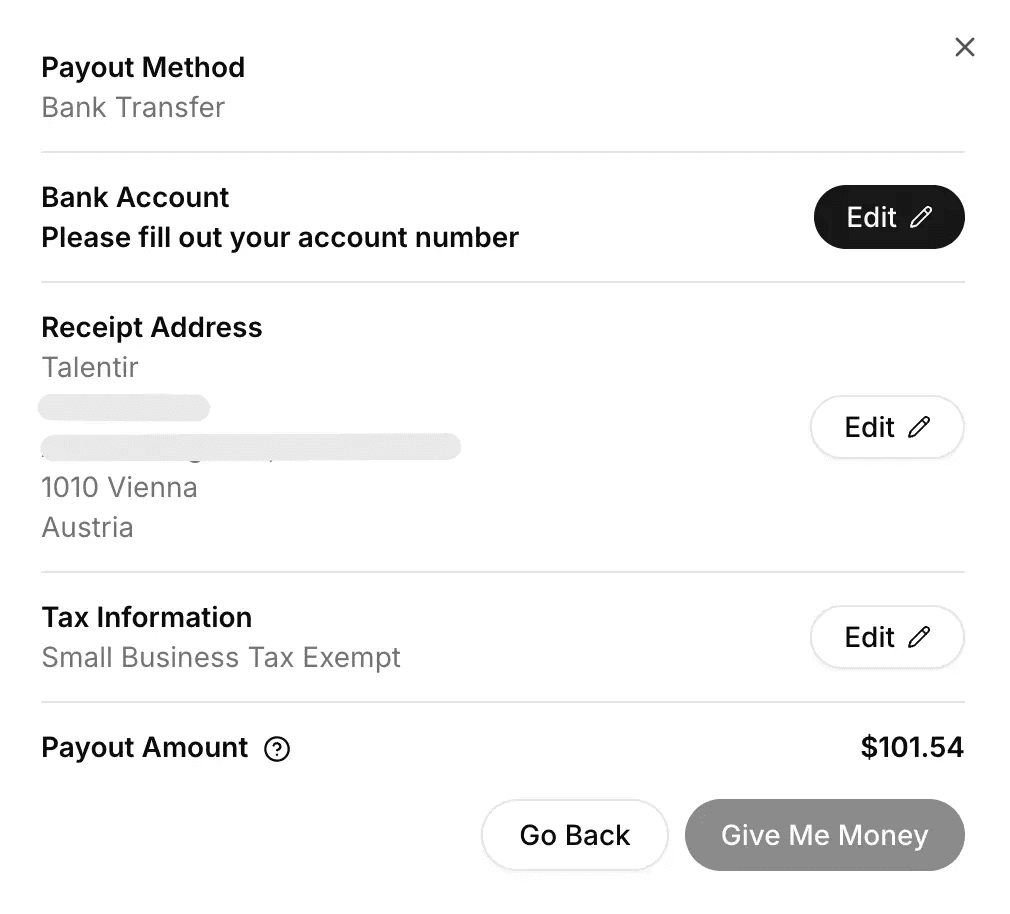
How to Claim via Bank Transfer
Once a payment method is selected (e.g., "Bank Transfer"), you will be able to fill out your information and claim the payment.
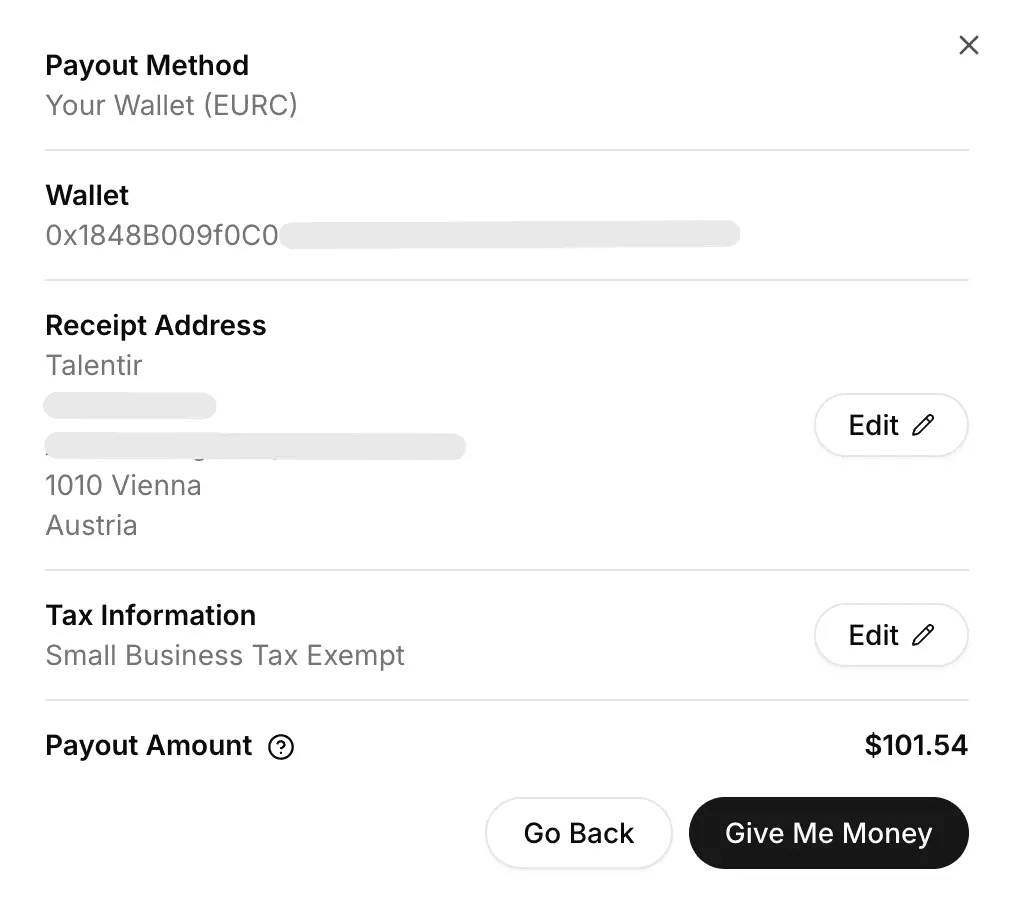
How to Claim via Stablecoins
You can receive crypto, for example USDC, EURC or USDT. On the Base network, you can receive it in your Talentir wallet or in your own wallet. On every other network, you need the address of your own wallet.
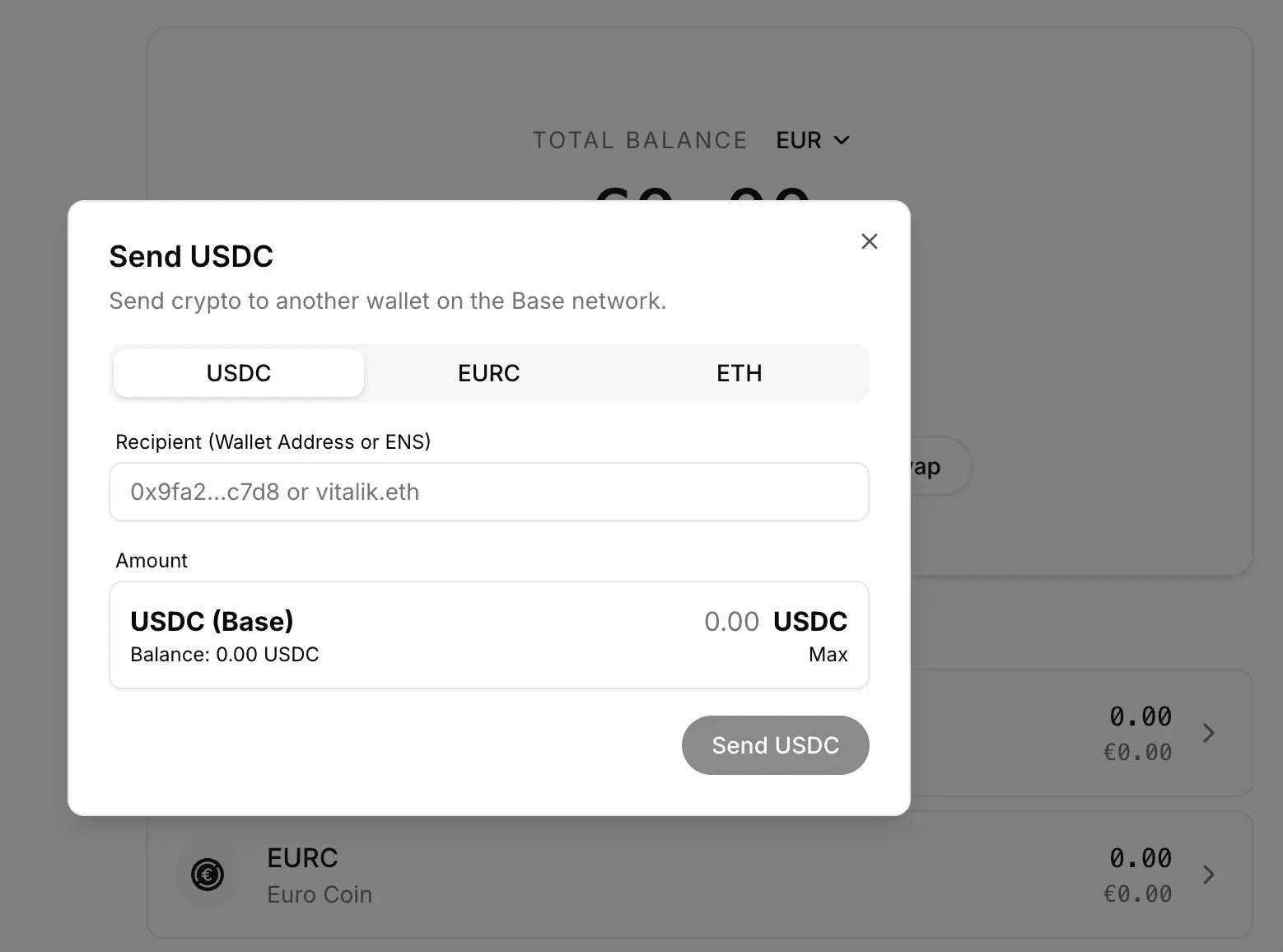
When you claim to your Talentir wallet, you find the money in the "Wallet" section on the left. From there you can send it to any other wallet (Binance, Kraken, ByBit, etc.): click on "Send", type the address and choose the option you prefer.
When can I start claiming payments?
Real-time payouts on: When real-time payouts are on for your channel, your estimated revenue grows in your Talentir balance every day. You can claim it whenever you want and as many times as you want.
Real-time payouts off: Your revenue comes to your Talentir balance after YouTube's monthly report. Then you can claim it whenever and however you want.
Need Help?
And if you have any doubt or need any help, we are just one message away. Please use the Chat you can see on the right.
Feel free to speak your native language in the chat, we can speak every language!
Last updated on
How to Claim Your YouTube AdSense in Any Currency
For over a decade, the "21st of the month" has been a sacred (and often stressful) date for YouTubers. It's the day Google finally releases your earnings. But as a creator in 2026, your expenses don't wait for a monthly cycle. Your editor needs to be paid today, your rent is due on the 1st, and that new camera gear just went on sale.
How to connect your channel to Talentir
This guide walks you through the simple steps to onboard your YouTube channel to Talentir. In just a few minutes, you’ll unlock real-time payouts, split payments, multiple payment options, tax-smart earnings, yield on claimed earnings, and full control over how and when you get paid.