Create your first payout
The shortest path from a verified Talentir account to money on its way: fund the wallet, create the payout, approve it, send it. With screenshots.
This guide shows the minimum you need to pay one person with Talentir. It takes about ten minutes once your wallet has funds.
Before you start
- Your business is verified. You got the email "Your business is verified" from our compliance team.
- You are an admin of your team. Only admins can approve and pay payouts.
- You know who you want to pay and their email address. That is all you need about them.
Step 1: Fund your wallet
Payouts are paid from your wallet, so it needs money first. Open Wallet in the sidebar and click Deposit. Pick the currency you want to hold, then copy the bank details and the payment reference into your online banking.
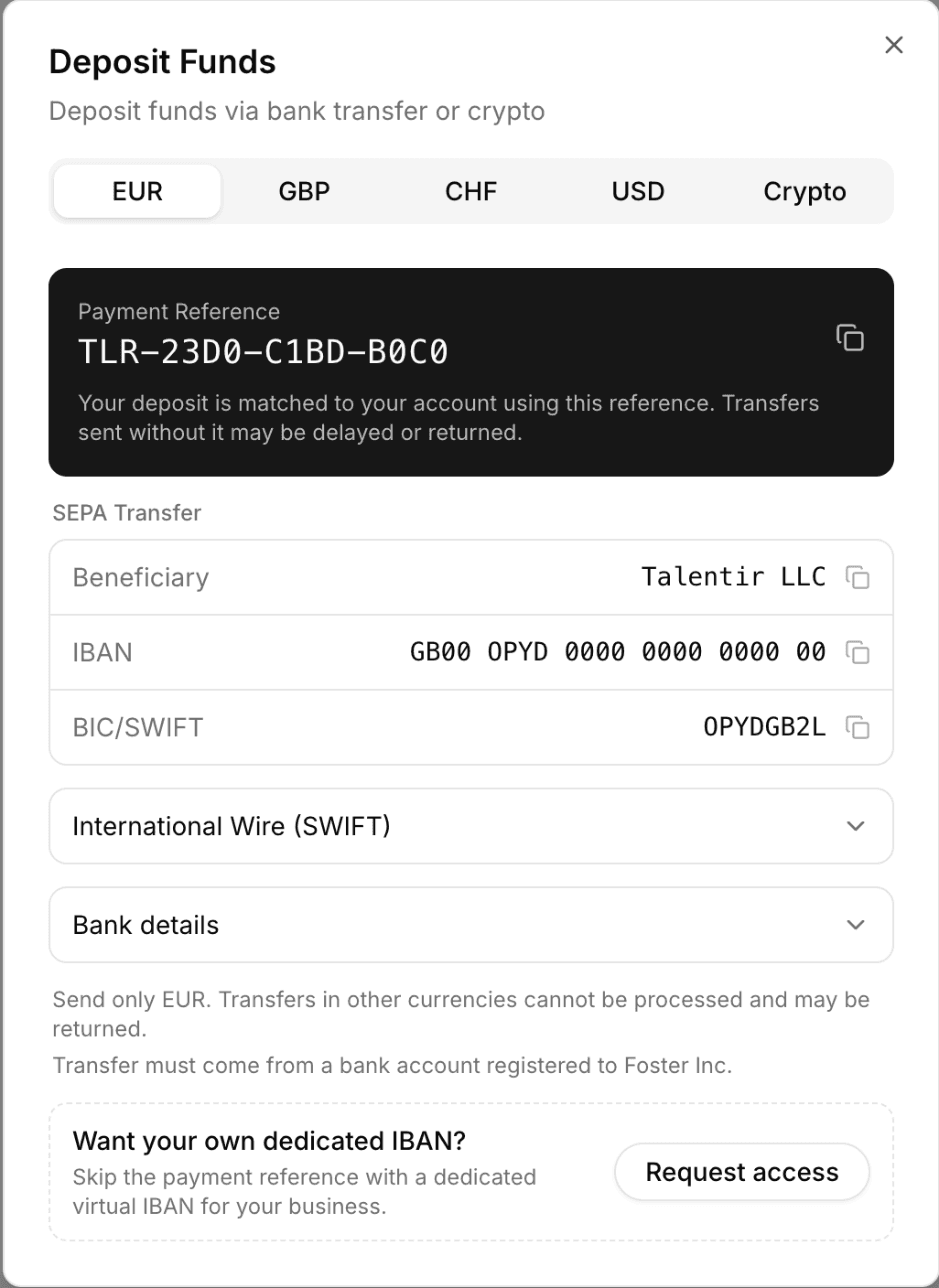
Three rules make the deposit arrive without delay:
- Send it from a bank account registered to your company. A transfer from a personal account or another company is returned.
- Put the payment reference in the transfer. It is how we match the money to your account.
- Send only the currency of the tab you picked. A USD deposit must be at least 1,000 USD; smaller USD deposits carry a 15 USD fee.
Your first deposit also activates your account. Until it arrives, you can create payouts, but you cannot approve them. Most deposits are credited within one to two business days, and you get an email when the money is in your wallet.
Step 2: Create the payout
Open Payouts in the sidebar and click Create Payout.

Fill in the three required fields:
- Amount and currency. The amount the recipient should get. You can pay in a different currency than the one in your wallet; Talentir converts at the time of payment.
- Description. What the payout is for, for example the campaign or the month. It appears on the invoice.
- Counterparty email. The recipient's email address. Pick Send the claim link to this email from the dropdown. You do not need their bank details.
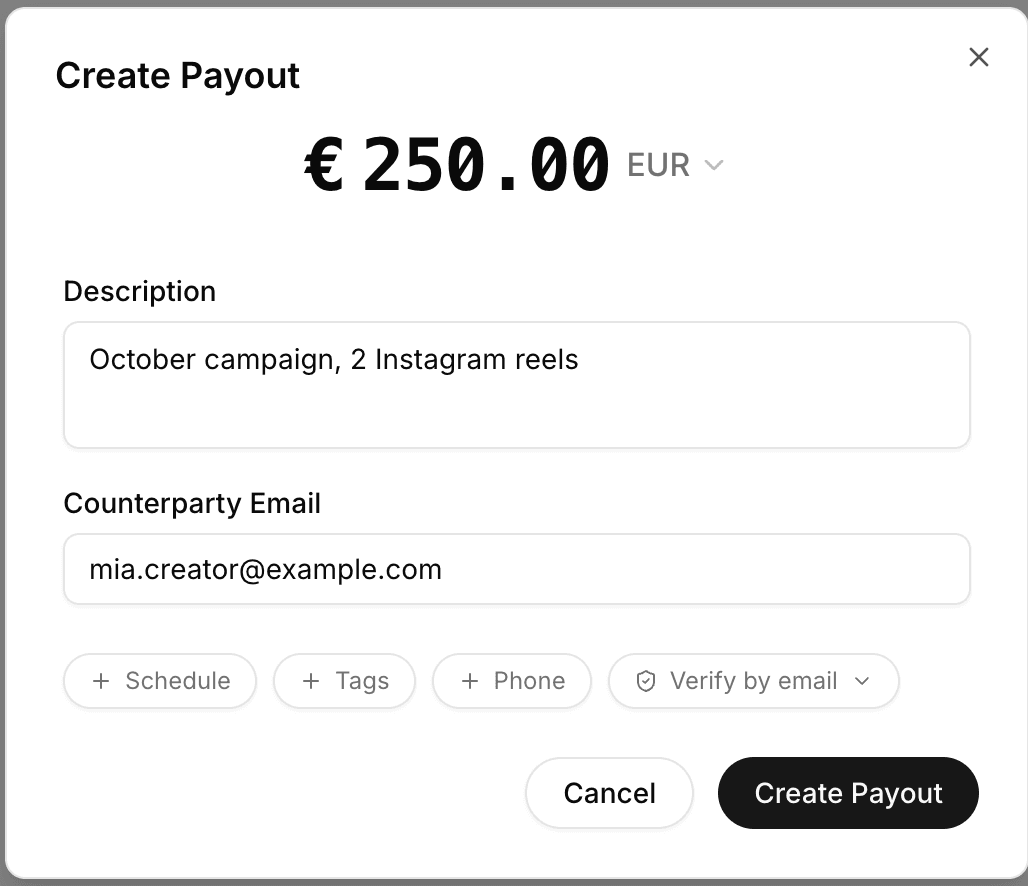
Leave Schedule, Tags and Phone closed for now. Click Create Payout.
Step 3: Approve the payout
The dialog moves on to the approval step. It lists the payout and compares it with your wallet balance, so you can see that the money is there.
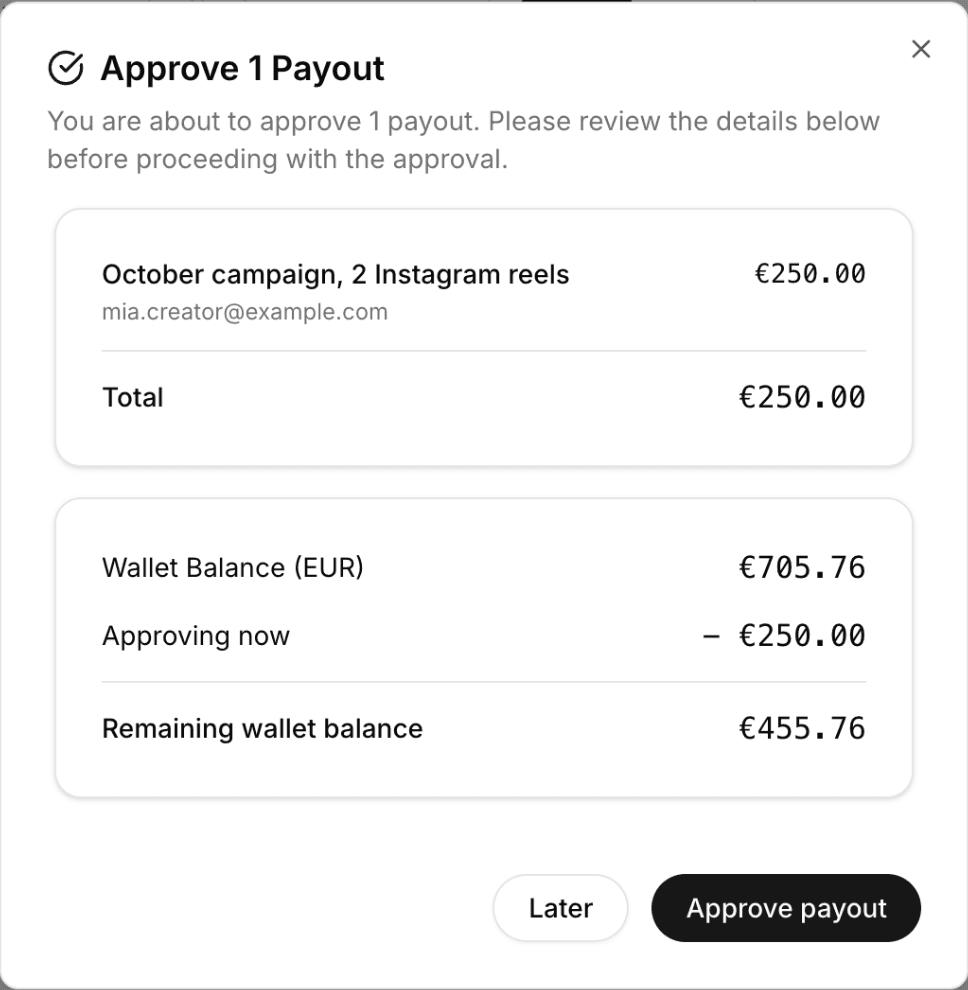
Click Approve payout. Approval reserves the money for this payout. Nothing is sent yet.
Step 4: Send it
The last step asks how the money should reach the recipient:
- Send claim link. The recipient gets an email with a link. They choose how they want to be paid, for example bank transfer, PayPal or stablecoin, enter their details once and confirm. Talentir creates the invoice for them. This is the right choice for a first payout.
- Pay directly. Pays to details you already saved for this counterparty. Use it from the second payout on.
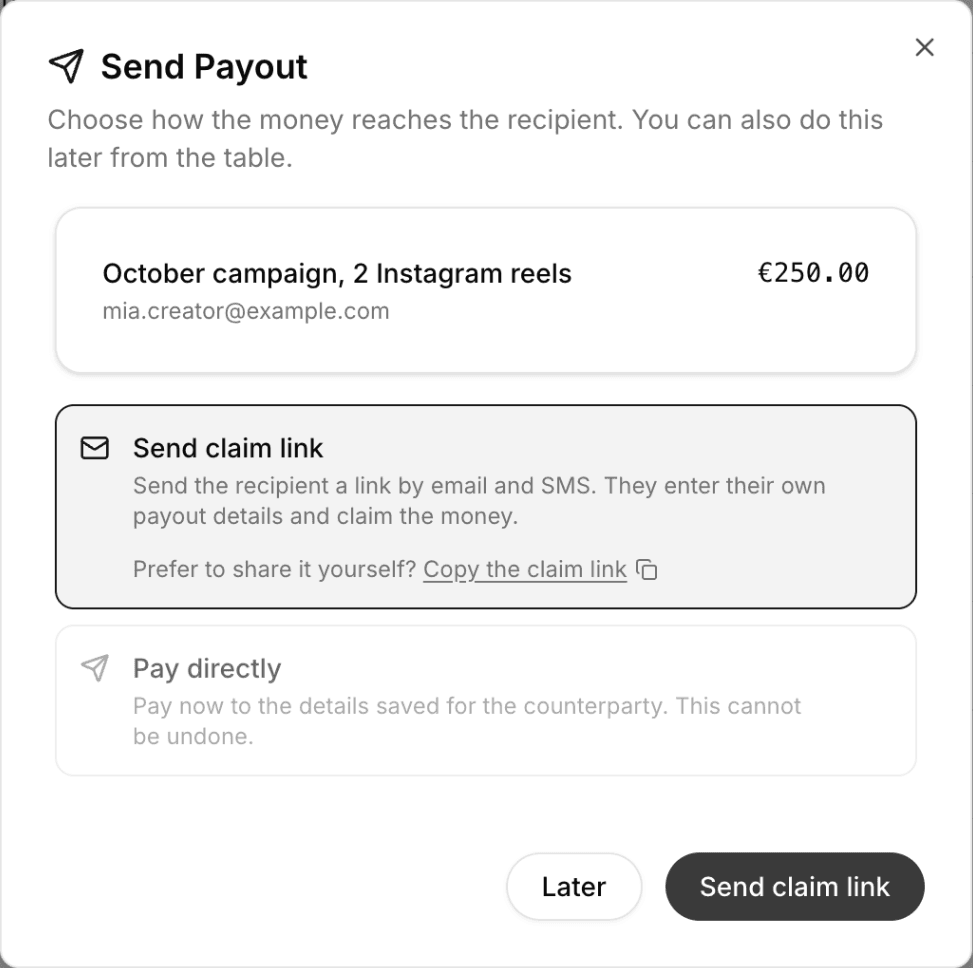
Click Send claim link. That is it: your first payout is on its way.
Step 5: Follow the status
The payout has its own row in the table from the moment you create it. Right after creation it shows Unapproved; the status then moves on as the payout progresses:
- Unapproved. Created, but not yet approved. Nothing is reserved.
- Approved. Money is reserved and the claim link is sent. Waiting for the recipient.
- Requested. The recipient claimed it and the transfer is running.
- Paid. The money arrived. The invoice is attached to the row.

If a transfer comes back, the row shows Returned and tells you why. See Failed and returned payouts for what to do then.
What comes next
- Many payouts at once. Click Import CSV on the Payouts page to create a whole batch from a spreadsheet, then approve and send them together.
- Automate it. Create payouts from your own system with the Talentir API.
- Pay the same people again. From the second payout on, their saved details let you choose Pay directly and skip the claim link.
Related topics
What is a payout?
A payout is a payment a business sends to a person or company that earned money through it: a creator, artist, freelancer or partner.
Payout methods
A payout method is the rail that delivers money to the payee: bank transfer, digital wallet such as PayPal or Venmo, or stablecoin.
Self-billing
Self-billing means the buyer creates the invoice on behalf of the supplier, so creators do not have to write an invoice themselves.
Failed and returned payouts
A failed payout is rejected before it reaches the payee. A returned payout reaches the receiving bank or wallet and is sent back.